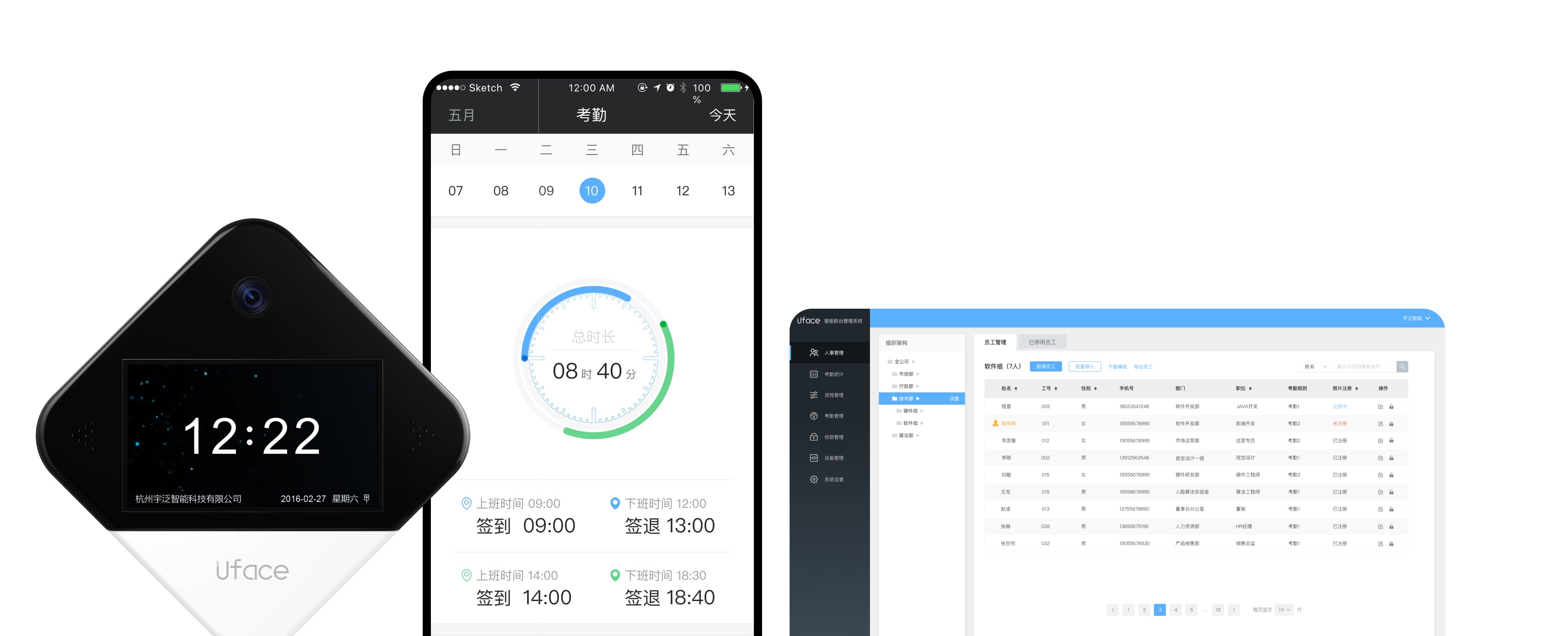
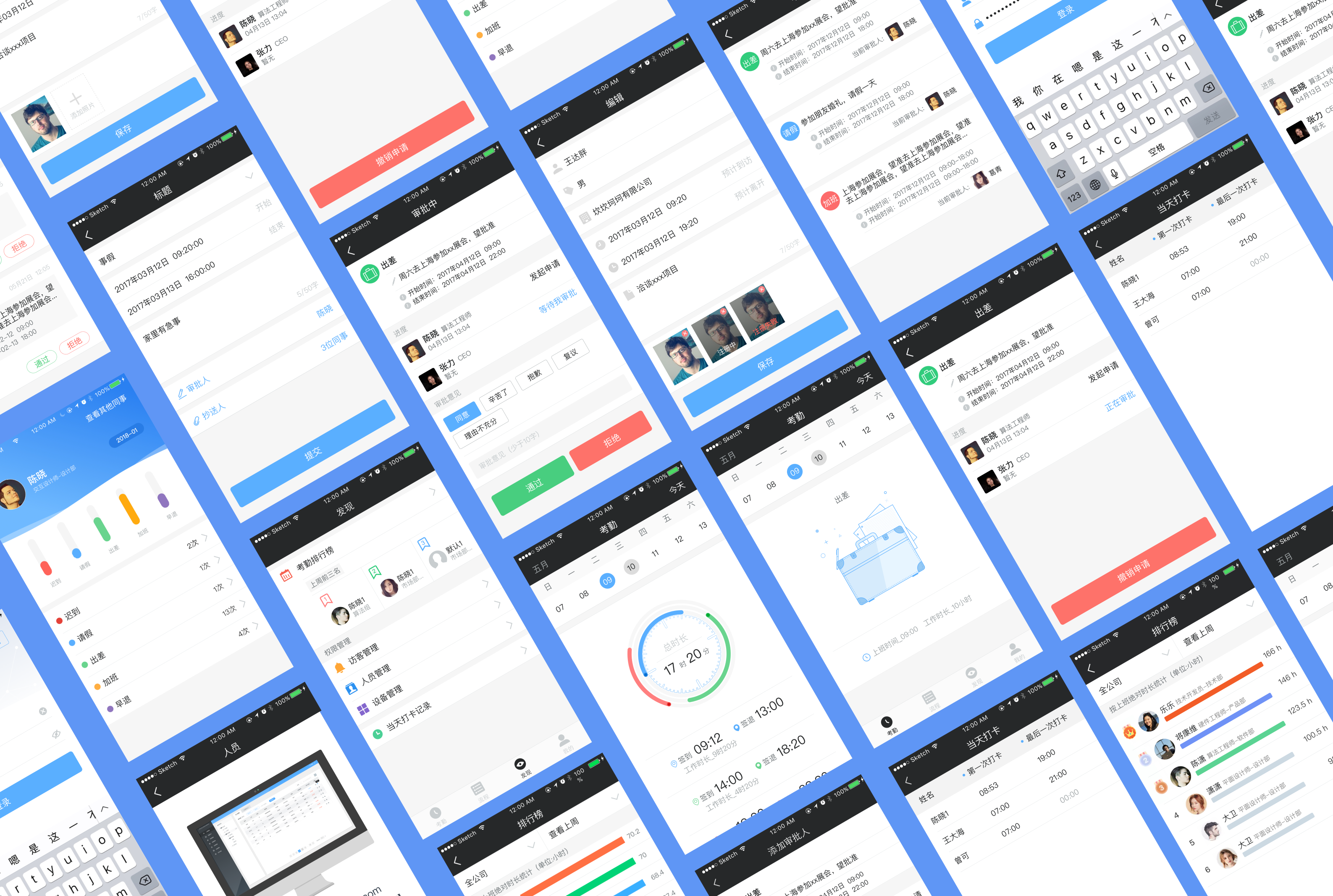
A facial-recognition reception system across device, mobile app, and back-office, replacing manual front-desk check-in with fast, contactless recognition for offices, communities, and more.
Background
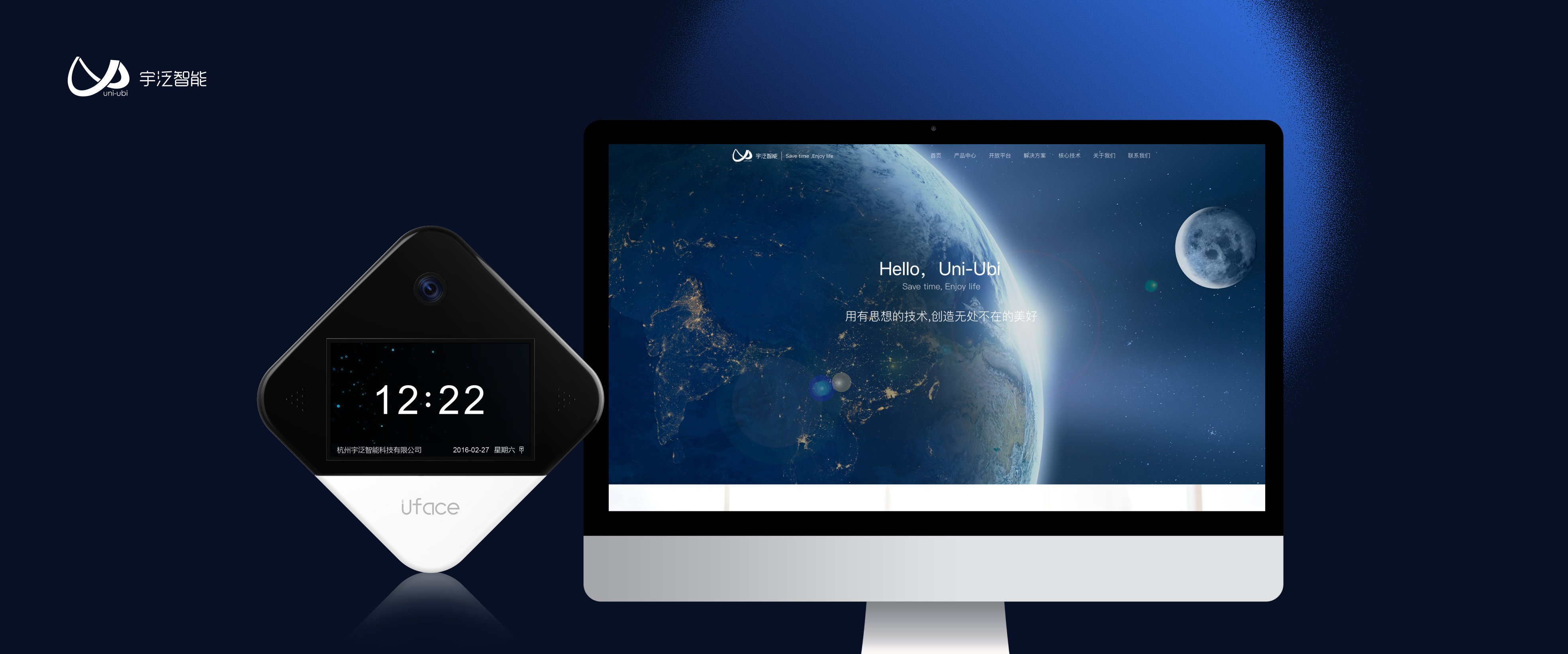
Uni-Ubi is an AIoT-based smart-city technology provider offering full-scenario IoT solutions. The Uface Smart Reception system serves offices, communities, hotels, and similar facilities, enabling ultra-fast facial-recognition sign-in, visitor management, and integrated attendance tracking. The goal was to streamline the front-desk experience for both employees and visitors, replacing manual check-in with automated, contactless recognition.
Visit website →The Challenge
The design needed to unify scattered workflows, ensure smooth hardware–software integration, and strike the right balance between security and convenience, all while serving managers, employees, and frequent visitors in a single, intuitive system.
Attendance, visitor check-in, and approval processes were handled through separate, inconsistent systems.
Facial-recognition devices needed to communicate seamlessly with the mobile and backend systems.
Prevent unauthorized entry while keeping check-in fast and seamless, without forcing a trade-off.
One solution had to serve managers, employees, and frequent visitors without adding complexity.
My Role & Responsibilities
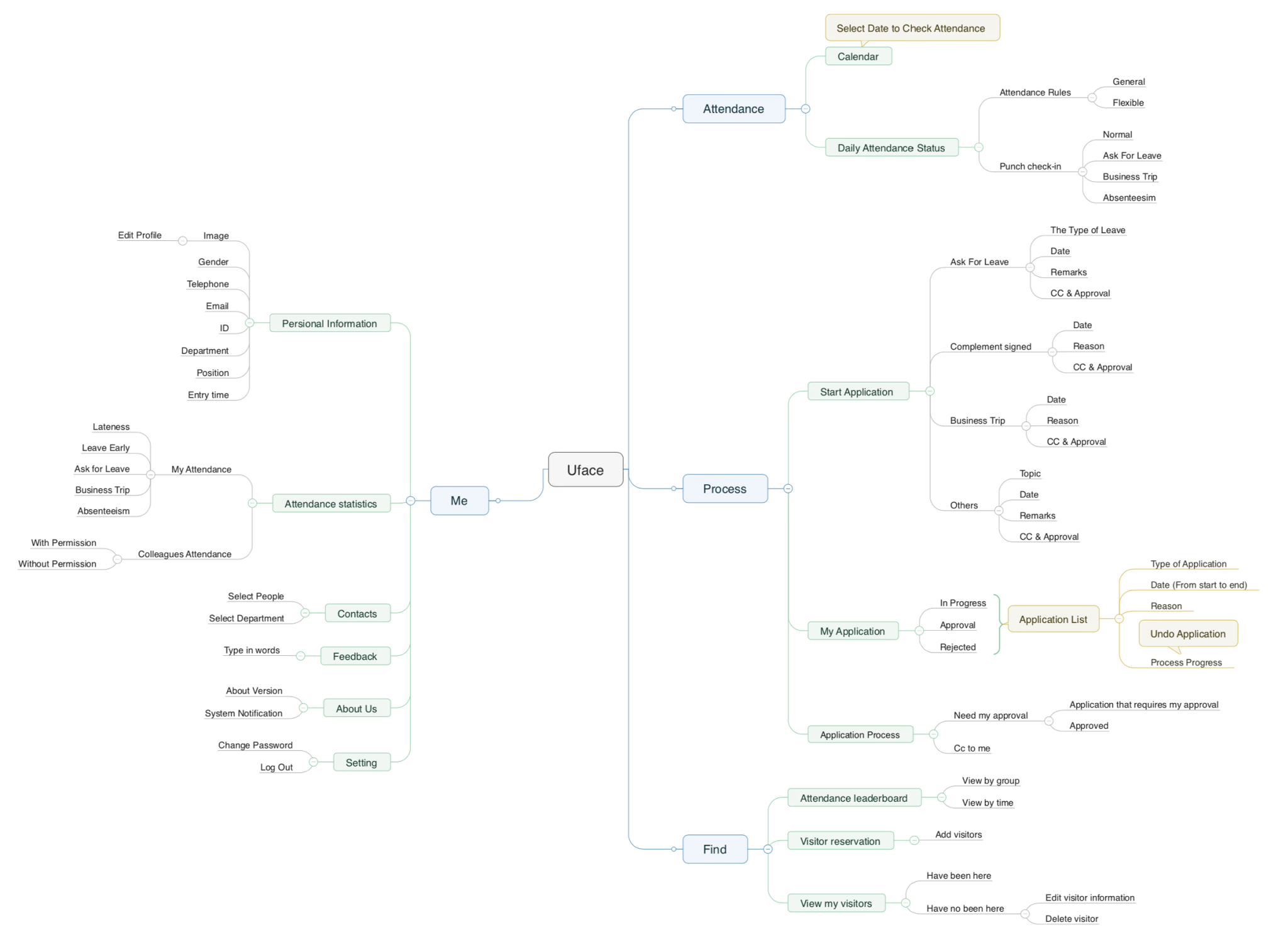
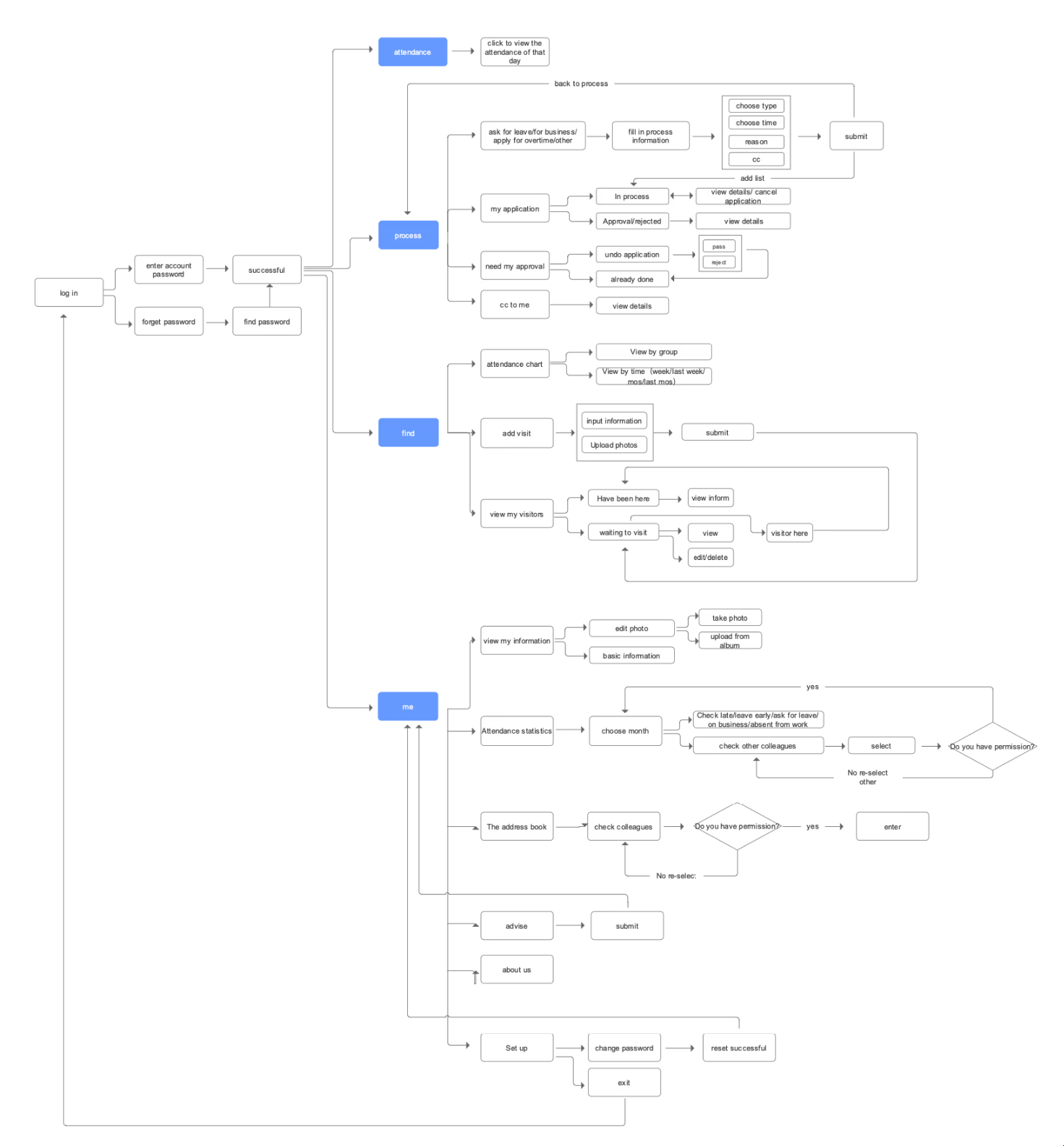
Worked with the PM to create the information architecture unifying attendance, approvals, visitor management, and personal center.
Designed UI/UX for the mobile and backend admin system, ensuring consistency across devices.
Collaborated with hardware engineers to refine device–UI interaction flows for instant recognition feedback.
Key Scenarios
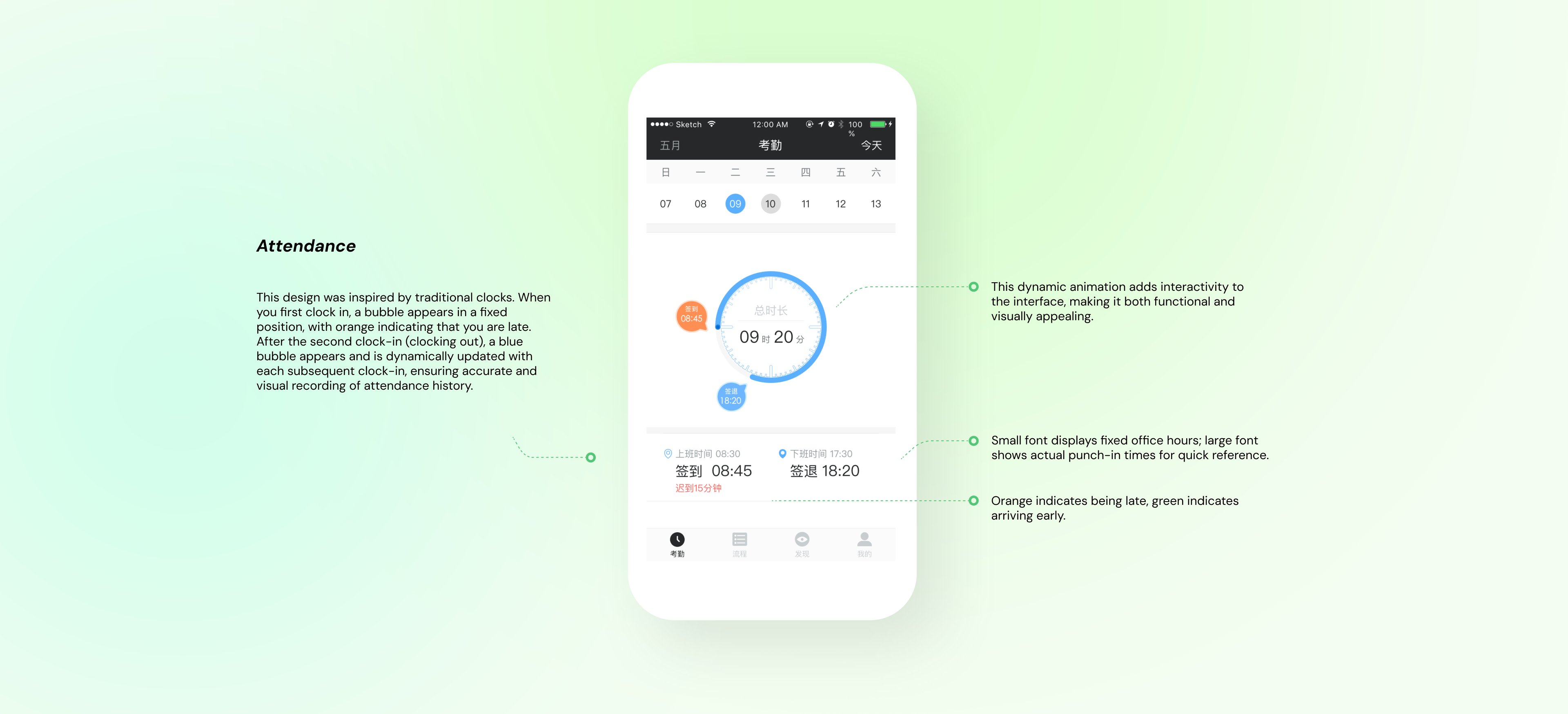
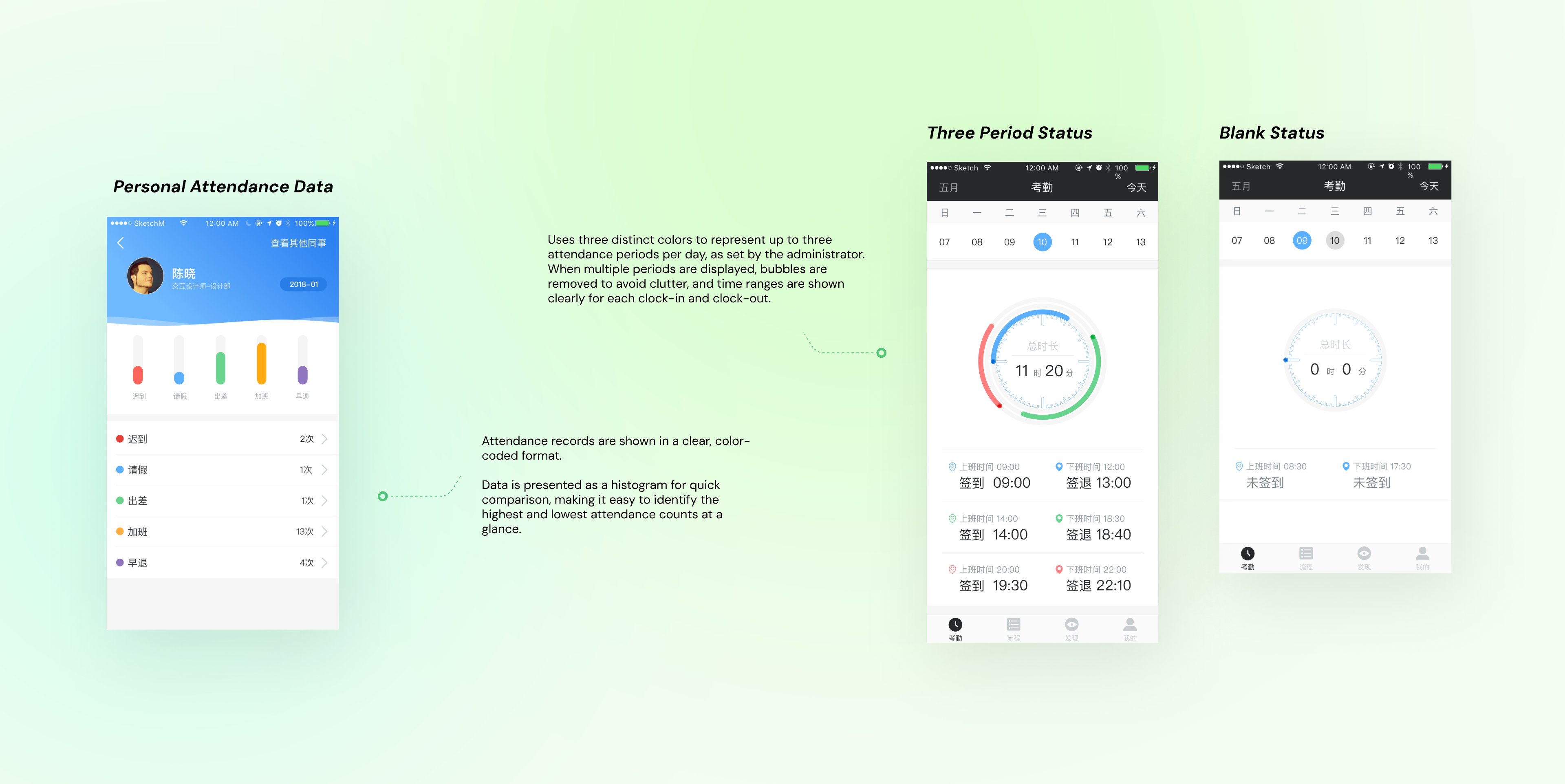
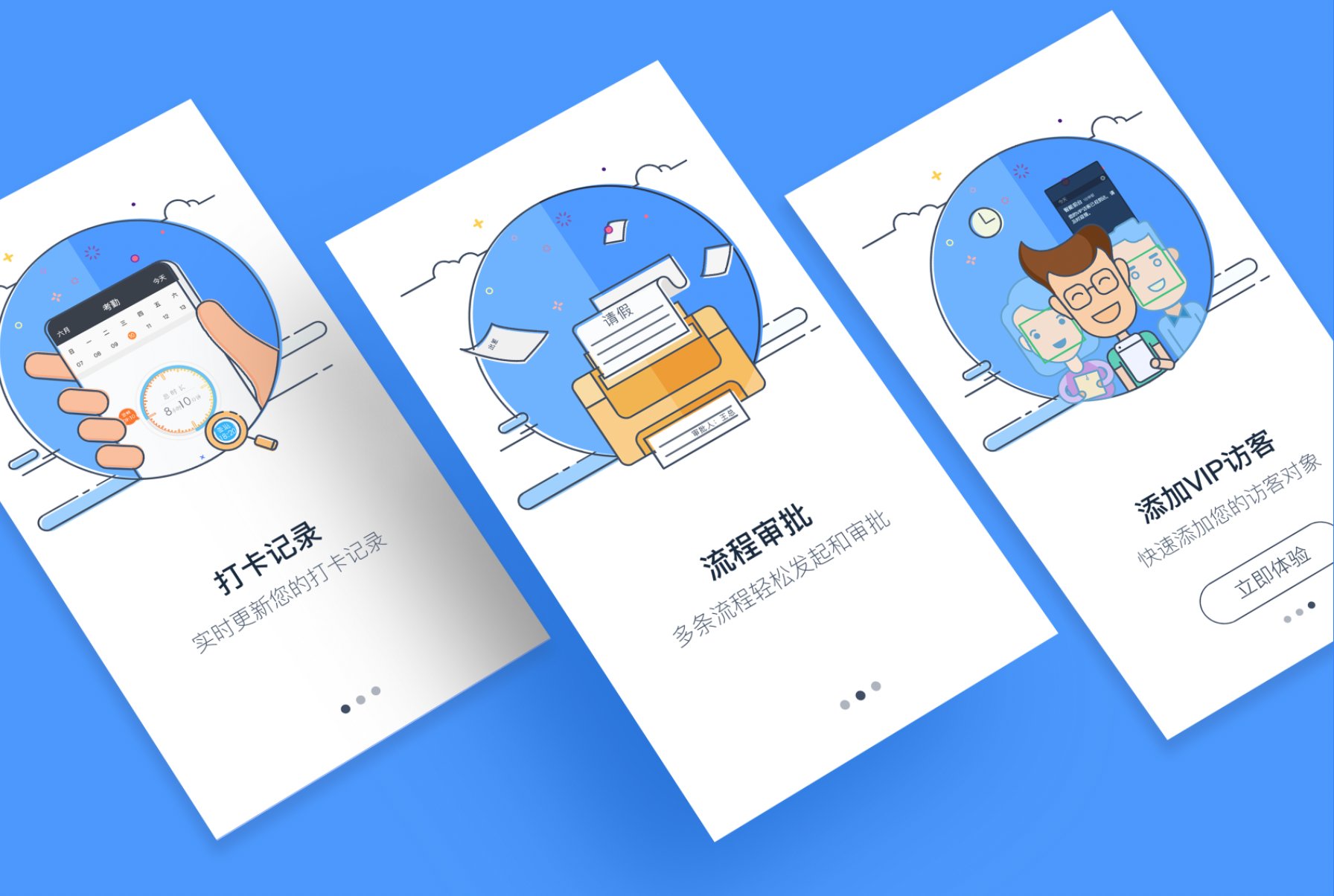
The attendance module gives employees and managers a clear, interactive way to track work hours. Inspired by a traditional clock face, it uses color-coded indicators for check-in and check-out, making history instantly visible. Users can view personal summaries, see statistics as a histogram, and track up to three work periods per day, ideal for flexible schedules. The design balances function and clarity so data reads at a glance.
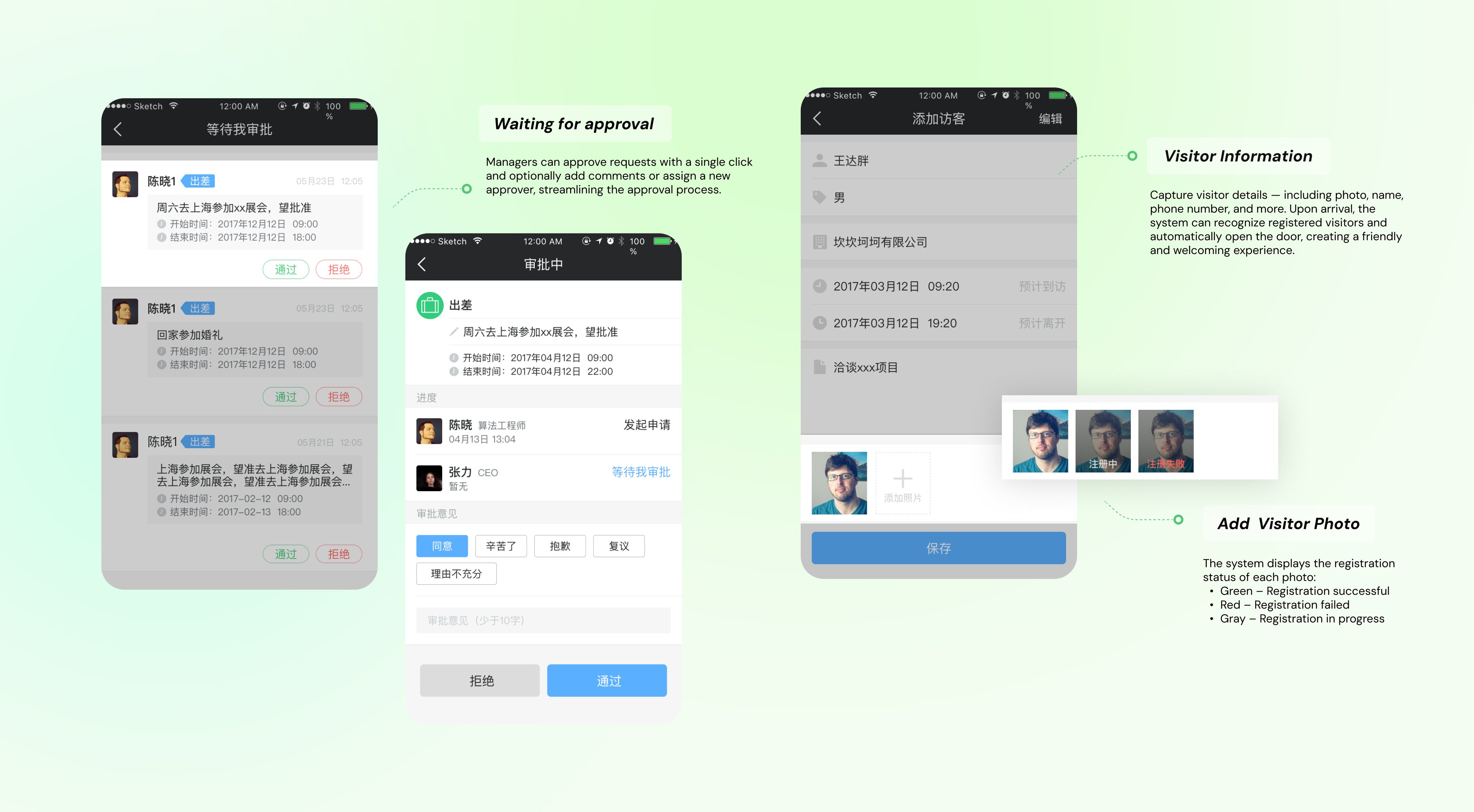
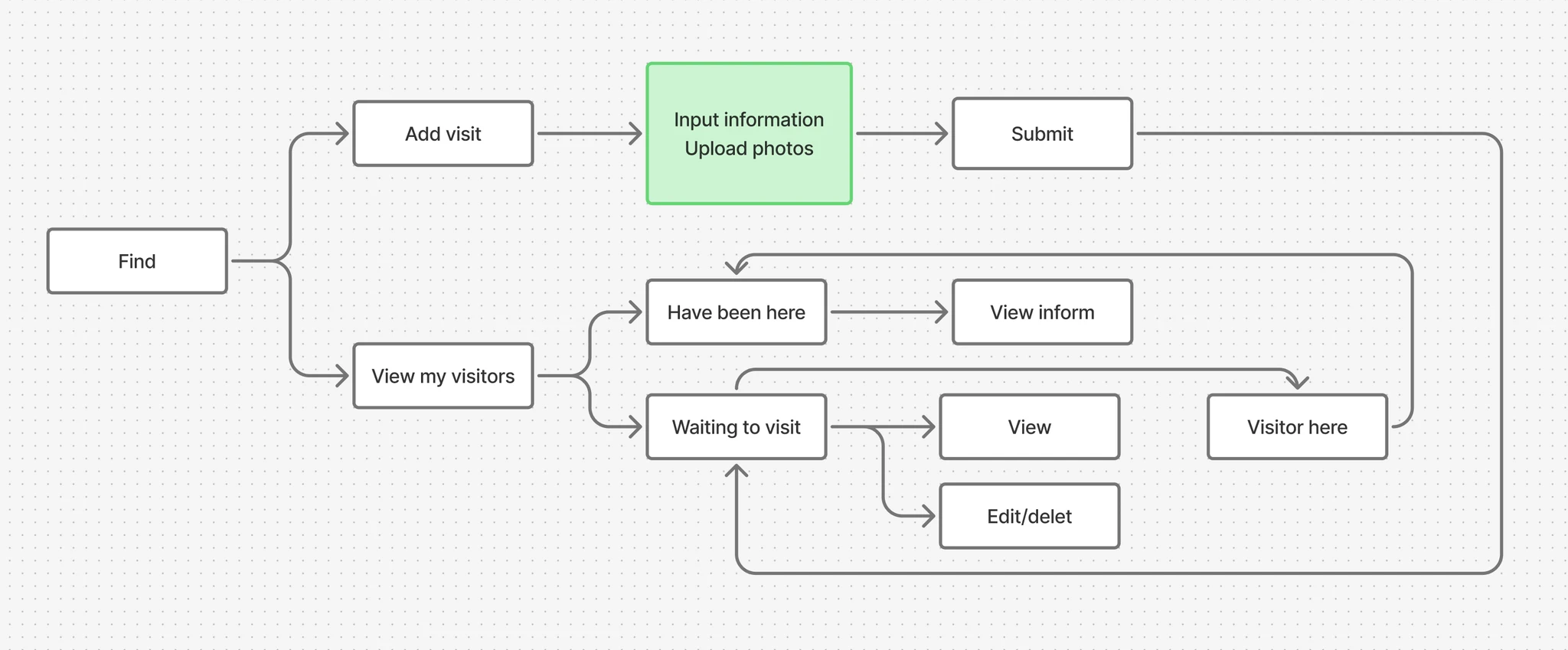
In many workplaces, visitor management is either too strict (causing delays) or too loose (compromising security). Uface needed a flow that verifies visitors quickly while preventing unauthorized access, handled in four steps:
Employees register guests in advance with name, company, date/time, and reason.
Guest photos are uploaded ahead of time for facial recognition on arrival.
The host is notified the moment their visitor checks in at reception.
One-time permissions valid only during the scheduled meeting window.
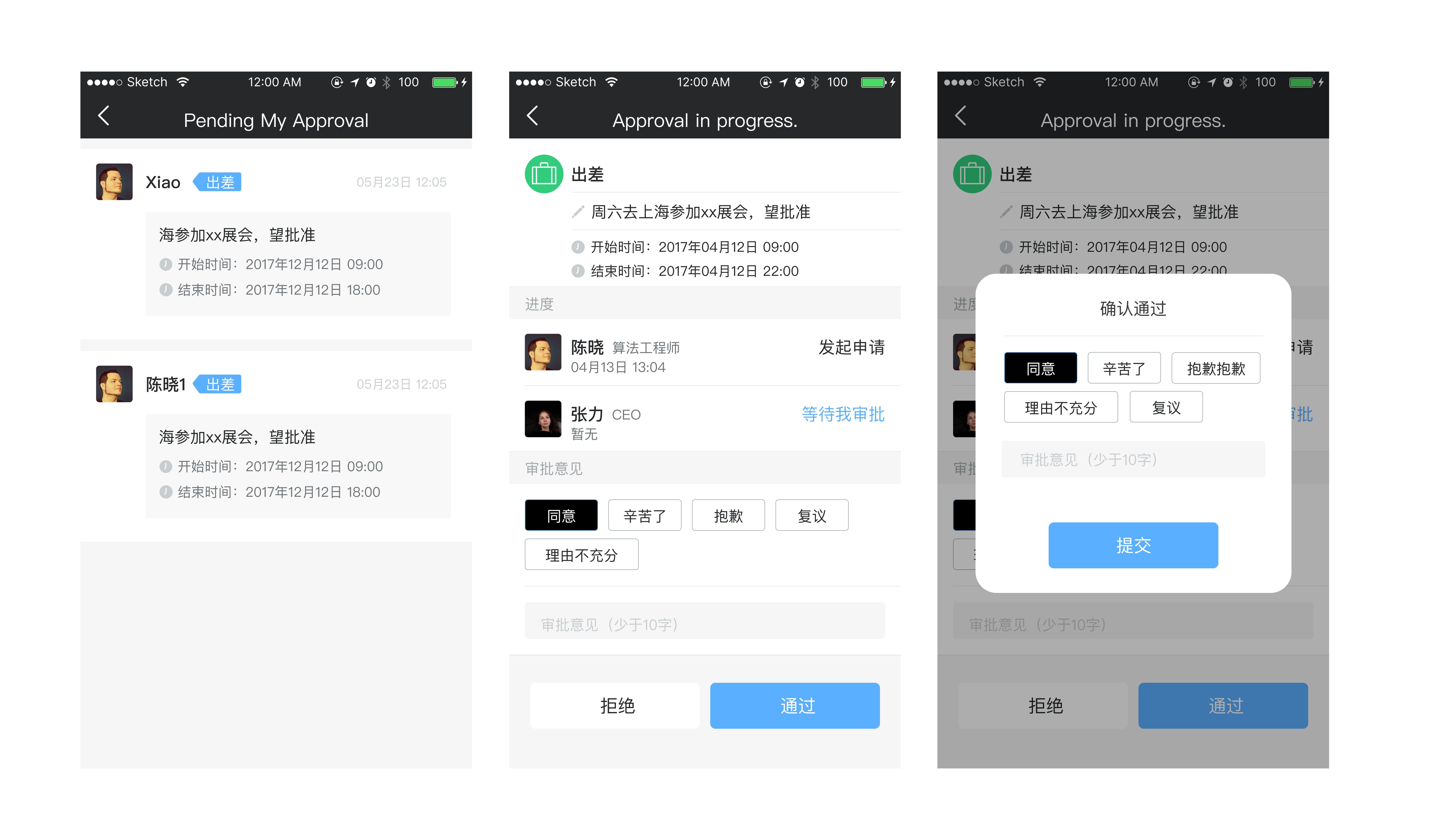
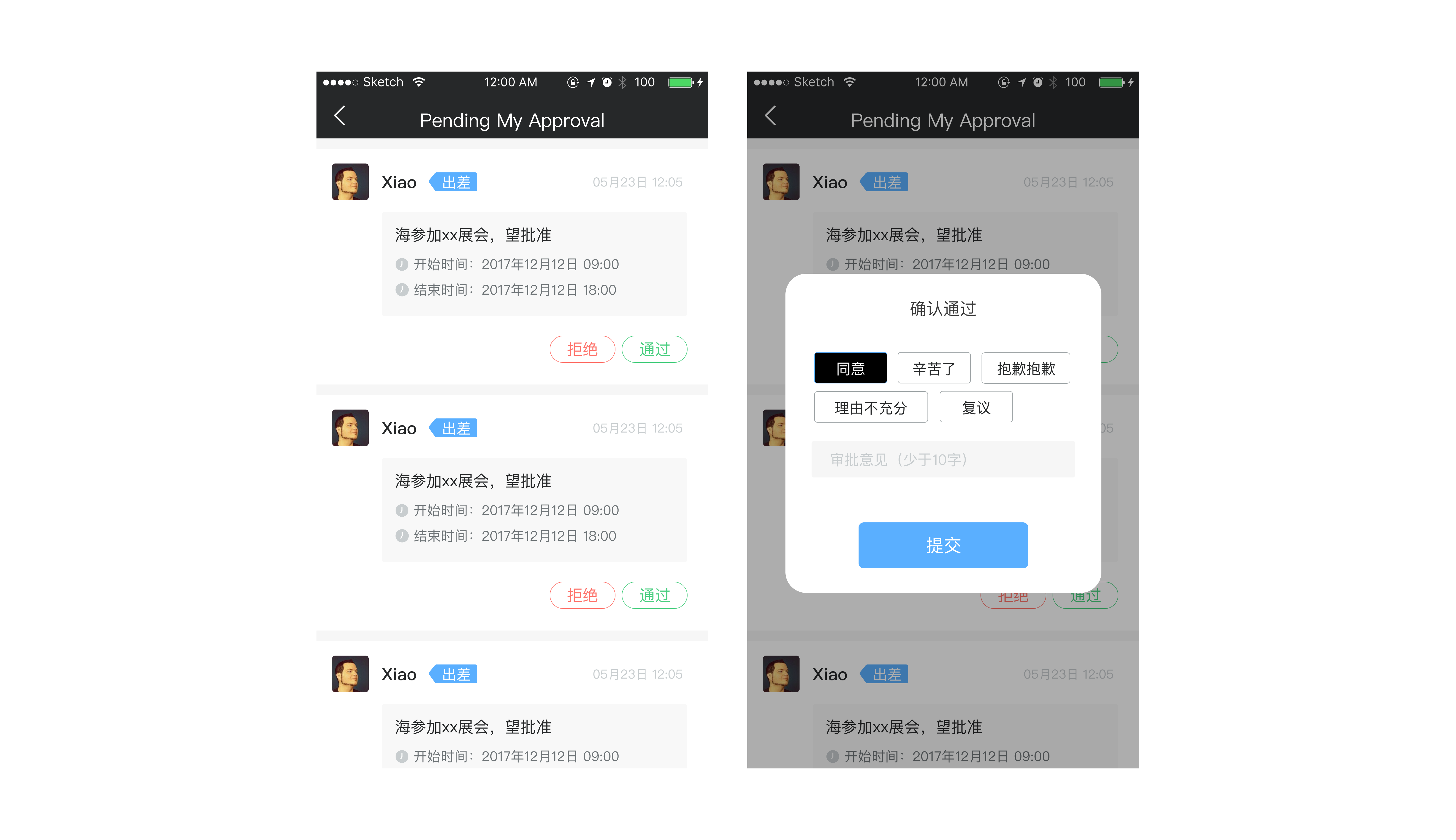
A/B Testing — Approval flow
Users open each request to a detail page, then approve. Steadier and lower-error, but slower for high volume.
Approve / reject directly from the list. Much faster, with a small risk of mis-taps that guardrails can absorb.
Decision: Ship Variant B with guardrails, a confirmation modal, a required reason on reject, and key fields shown inline. Experiment used 50/50 user-level randomization (sticky buckets), same approval type first, run over ≥2 work weeks for sufficient samples.
Testing Findings & Iteration
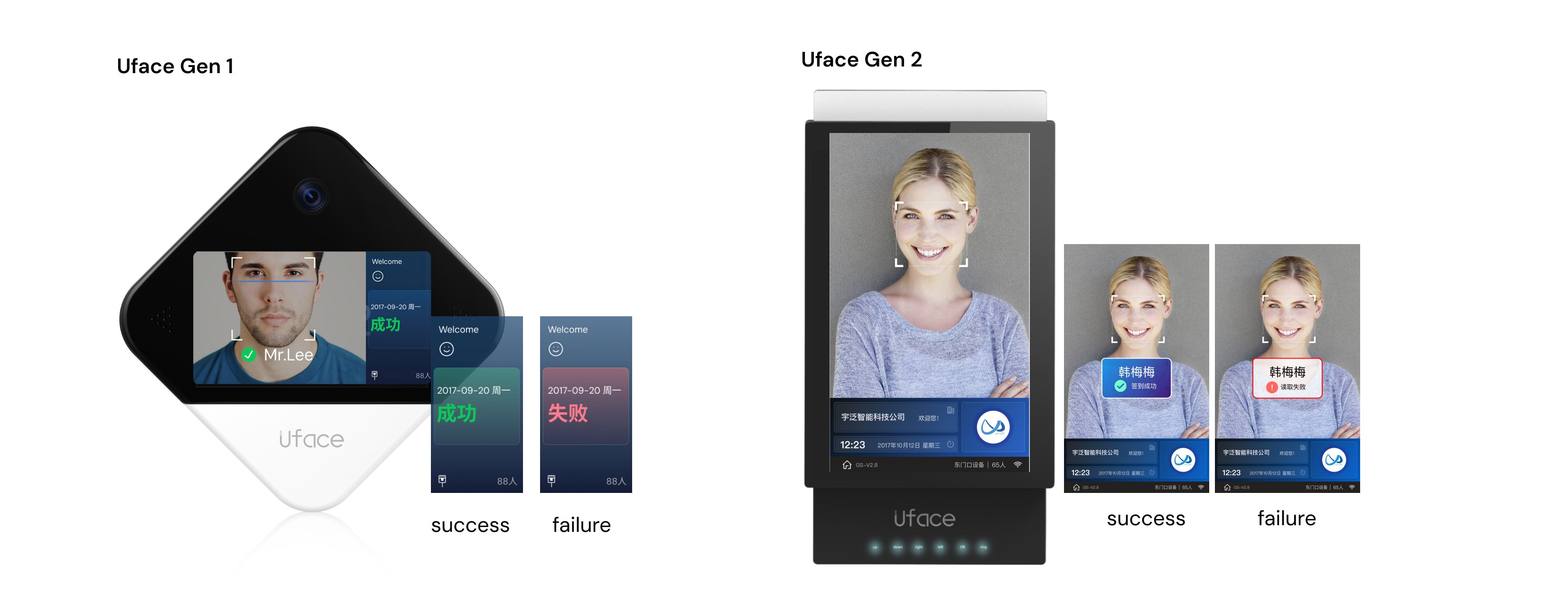
In field tests at construction sites and school gates, bright sunlight and ambient noise made it hard to tell whether recognition succeeded.
Subtle success/failure cues were fine for indoor offices, but couldn't adapt to the new outdoor environment.
Enlarged, high-contrast success/failure states plus audible cues (beeps + voice prompts) for unmistakable confirmation.
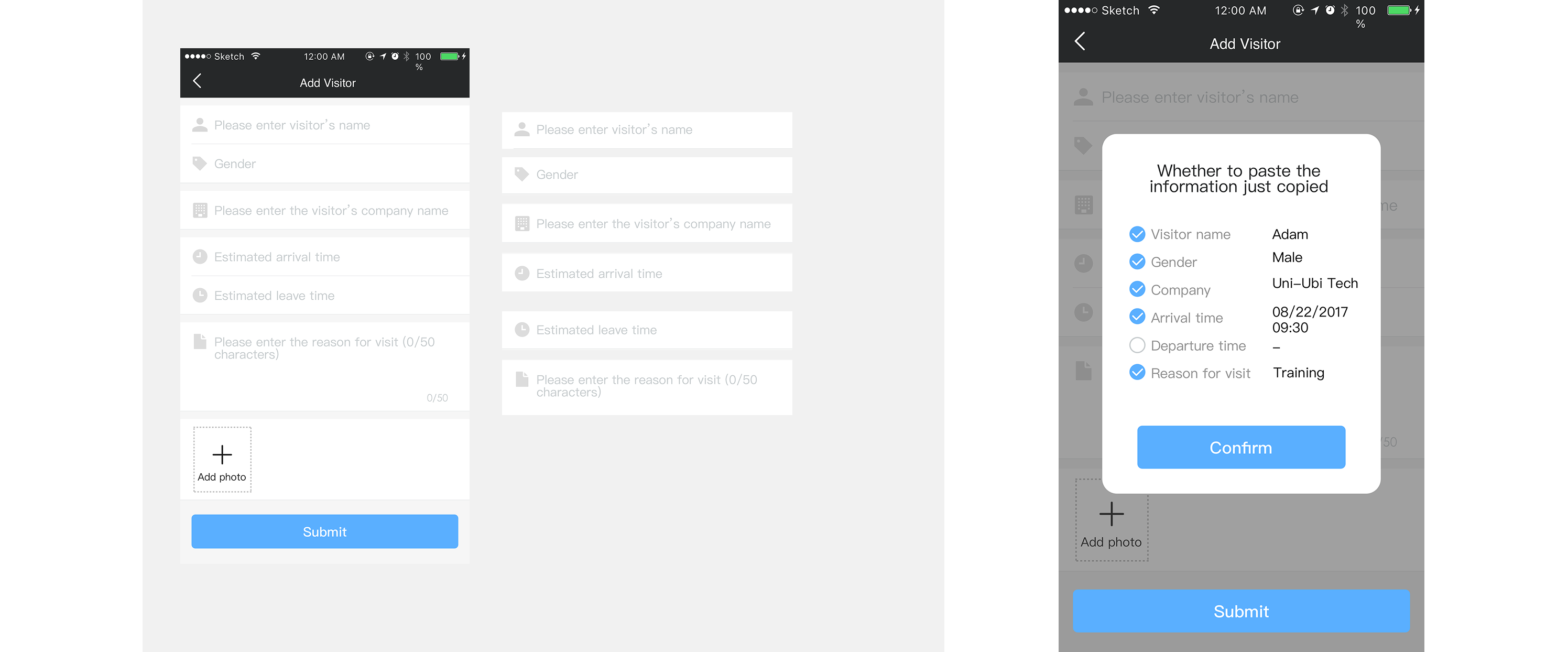
Adding a visitor meant filling six fields one by one. When details came from chat or email, users had to copy–switch–paste repeatedly, causing delays and errors.
A blank form (Name, Gender, Company, Arrival, Departure, Reason) with no auto-fill and no clipboard detection.
UI Works